2 KiB
2 KiB
GPS Reset firmware
- If the GPS is set to unknown parameters by mistake, causing the GPS to fail to operate normally, you can try to reset the GPS firmware.
- T-Beam V1.x version record Video
How to Flash ?
Before burning firmware, please put the board into download mode and follow the steps below
- Connect the board via the USB cable
- Press and hold the BOOT button , While still pressing the BOOT button (If there is no BOOT button, you need to use wires to connect GND and IO0 together.)
- Press RST button
- Release the RST button
- Release the BOOT button (If there is no BOOT button, disconnect IO0 from GND.)
- Upload sketch
- Press the RST button to exit download mode
Use ESP Download Tool
- Download Flash_download_tool

- Note that after writing is completed, you need to press RST to reset.
Use Web Flasher

- Note that after writing is completed, you need to press RST to reset.
Use command line
If system asks about install Developer Tools, do it.
python3 -m pip install --upgrade pip
python3 -m pip install esptool
In order to launch esptool.py, exec directly with this:
python3 -m esptool
For ESP32 use the following command to write
esptool --chip esp32 --baud 921600 --before default_reset --after hard_reset write_flash -z --flash_mode dio --flash_freq 80m 0x0 firmware.bin
For ESP32-S3 use the following command to write
esptool --chip esp32s3 --baud 921600 --before default_reset --after hard_reset write_flash -z --flash_mode dio --flash_freq 80m 0x0 firmware.bin
How to check GPS data ?
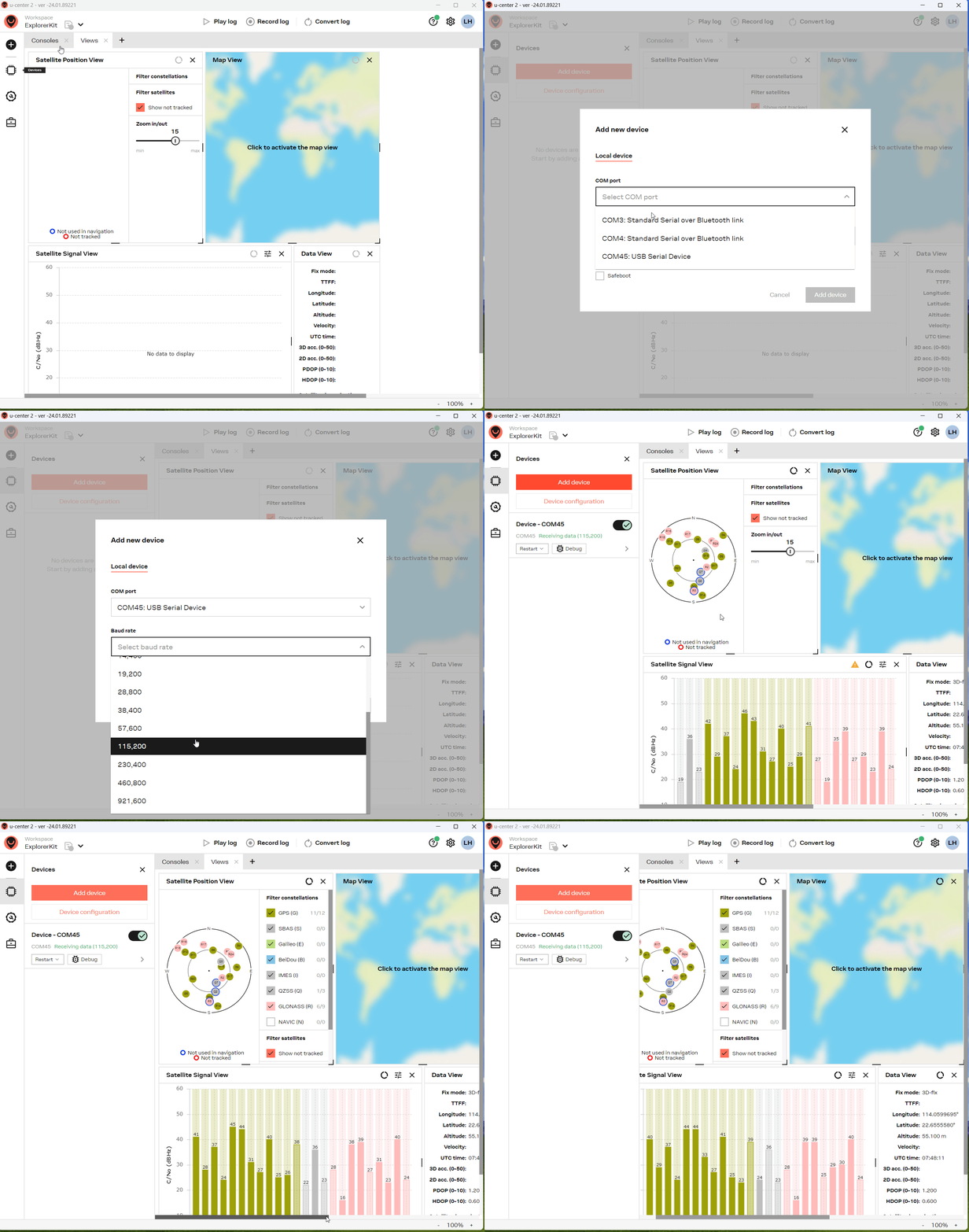
- Download u-center2
- Check the GPS data according to the guide below