
2.9 KiB
Goal
Create a PNG file from a glb (= glTF binary = Graphics Library Transmission Format https://en.wikipedia.org/wiki/GlTF).
Introduction
This exercise will walk thorugh the creation of a PNG from the included glb. The purpose is to show the steps taken to create the PNG which can be duplicated in a mass conversion script.
You will be using the command console.
The scripts run will create a small server; however, it will automatically select a port needed for the process so you do not have to be concerned of a port conflict, e.g. 3001, if you have another server running elsewhere on the system. The kernel selects a currently unused high-numbered port (typically in the 32768–60999 range on Linux).
Prerequisites
Node package: puppeteer
Steps
Open a command console and change to the following subdirectory:
cd web/batch_glb_png/glbs
for this exercise, create a soft link within glbs to just one file, we're only goint to perform a single PNG to demonstrate the scripts. Normally, directory glbs will have links to the actual glbs staged (how those links are created is another exercise)
ln -s ../../'[o]_stealthburner_LED_carrier.stl.glb' .
Example:
~/work/Voron/voronstl/web/batch_glb_png/glbs $ ln -s ../../'[o]_stealthburner_LED_carrier.stl.glb' .
Change to to the upper directory from within web/batch_glb_png and then launch the conversion script. Note the run will use the job.json I created, when time comes when you want to use yours, then specify the path and filename to your PNG profile:
cd ../batch_glb_png
date;time node batch_render.js job.json
Example:
jlpoole@jp ~/work/Voron/voronstl/web/batch_glb_png $ date;time node batch_render.js job.json
Wed Mar  4 18:17:13 PST 2026
PAGE console: error Failed to load resource: the server responded with a status of 404 (Not Found)
PAGE console: warn [.WebGL-0x7a40014ea00]GL Driver Message (OpenGL, Performance, GL_CLOSE_PATH_NV, High): GPU stall due to ReadPixels
PAGE console: warn [.WebGL-0x7a40014ea00]GL Driver Message (OpenGL, Performance, GL_CLOSE_PATH_NV, High): GPU stall due to ReadPixels
PAGE console: warn [.WebGL-0x7a40014ea00]GL Driver Message (OpenGL, Performance, GL_CLOSE_PATH_NV, High): GPU stall due to ReadPixels
WROTE   /home/jlpoole/work/Voron/voronstl/web/batch_glb_png/pngs/[o]_stealthburner_LED_carrier.stl.png

real    0m1.667s
user    0m1.327s
sys     0m0.423s
jlpoole@jp ~/work/Voron/voronstl/web/batch_glb_png $
Result: a PNG 1227 × 994:
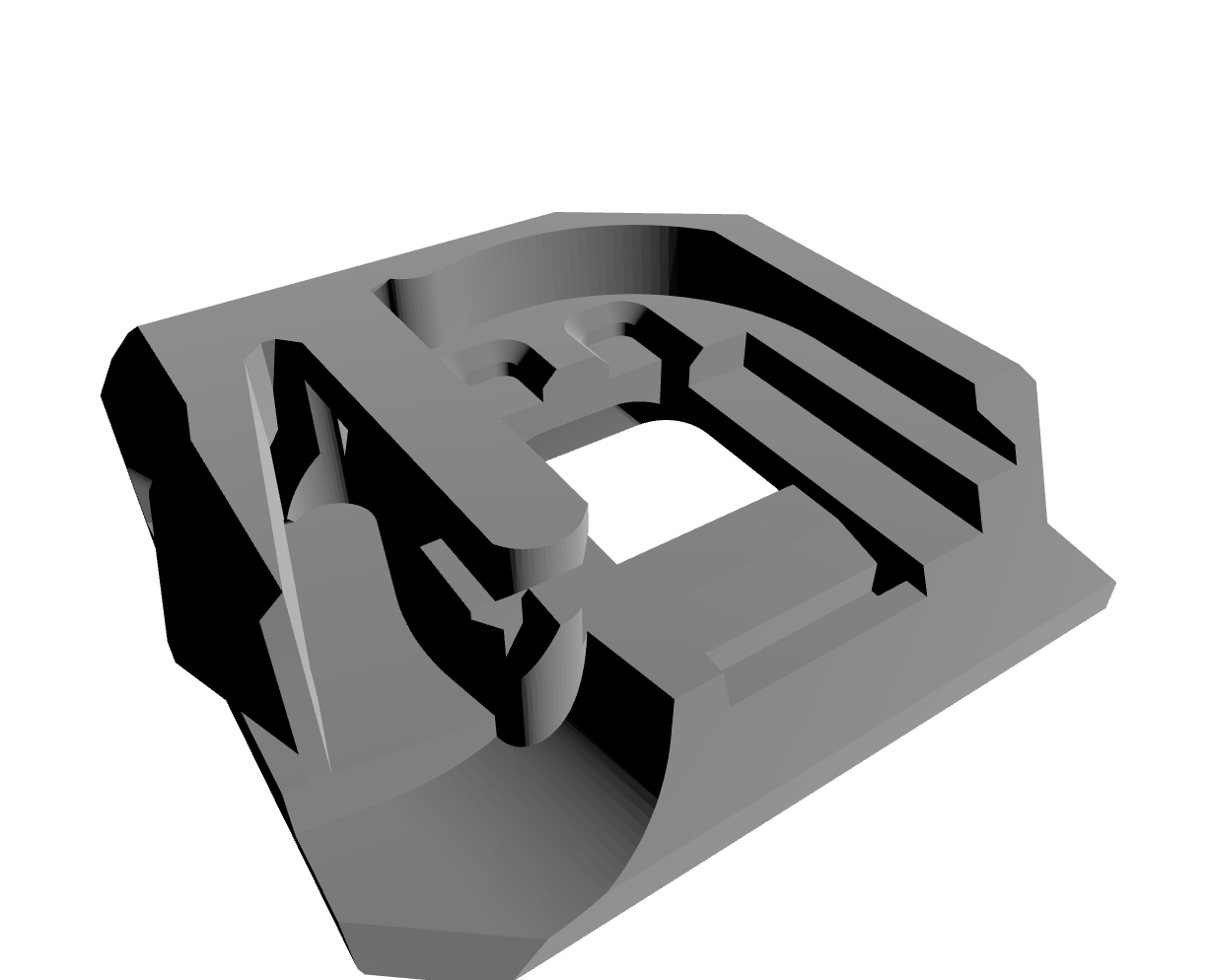
Conclusion
Using the steps above, you created a single PNG from a glb.
The next step is to fill the glbs directory with links to the glbs perviously generated by Blender and then execute the same/similar command from within the '''web/batch_glb_png ''' directory:
node batch_render.js [your PNG specification, if you want]
that will create a PNG for every glb.