<p>
<br />
I was working on my <a href="https://vorondesign.com/voron_trident">Voron Trident</a> 3D printer kit, and tried to take inventory of all the plastic parts that were printed and shipped to me. There are 128 different designs. I decided to make a workflow producing both a recognizable image and a 3-D web viewer of each part.</p>
<p>I ran into some issues regarding the rendering of color when you transform an <a href="https://en.wikipedia.org/wiki/STL_(file_format)">STL</a> model using <a href="https://www.blender.org/">Blender</a>, a highly sophisticated graphics program, nay, environment, into a <a href="https://en.wikipedia.org/wiki/GlTF">GLB</a> model. The Voron project has two classes of parts: the basic which are usually black, and the “accent” which may be a different color, e.g. burnt orange. Frustrated with my color results, I decided I needed a tool which should give me some color charts so I could determine what color specification, in <a href="https://en.wikipedia.org/wiki/Web_colors">HEX</a> format, e.g. #FF0000 = red, would produce what color. So, I devoted a half day to a quick and simple project I call colorpie.</p>
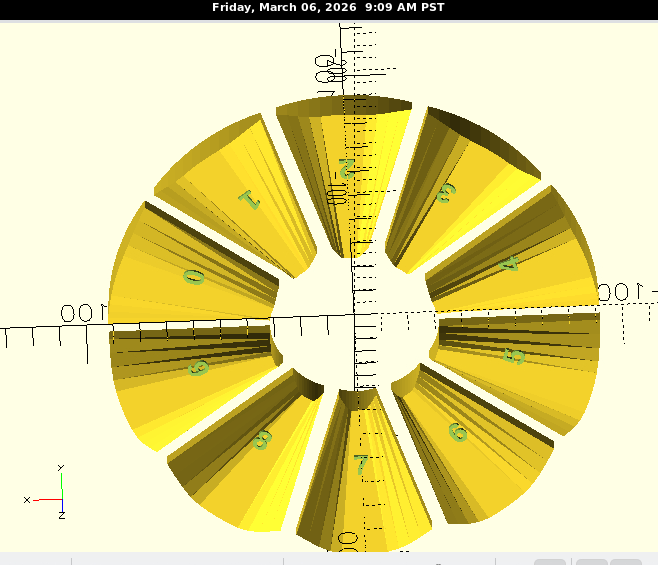
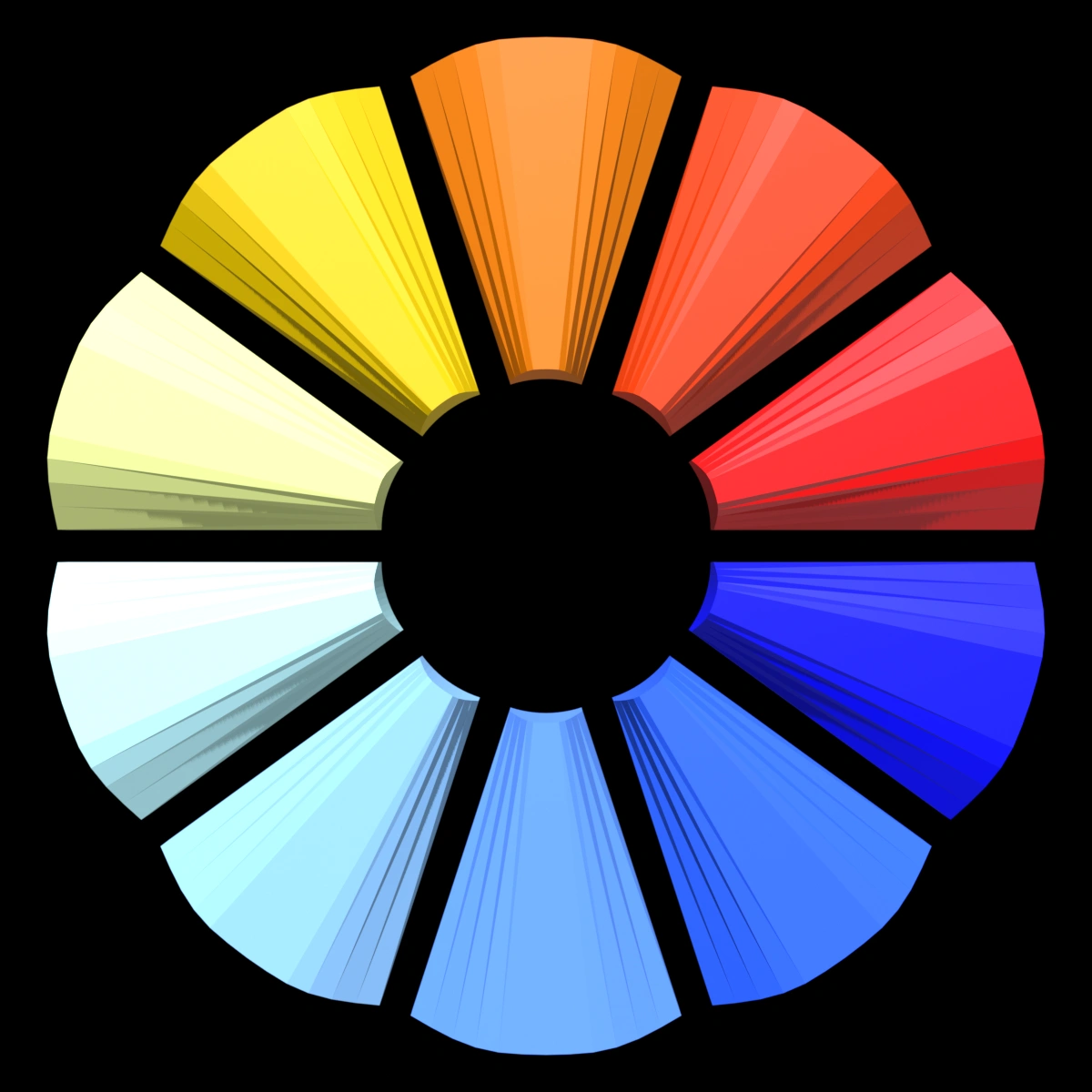
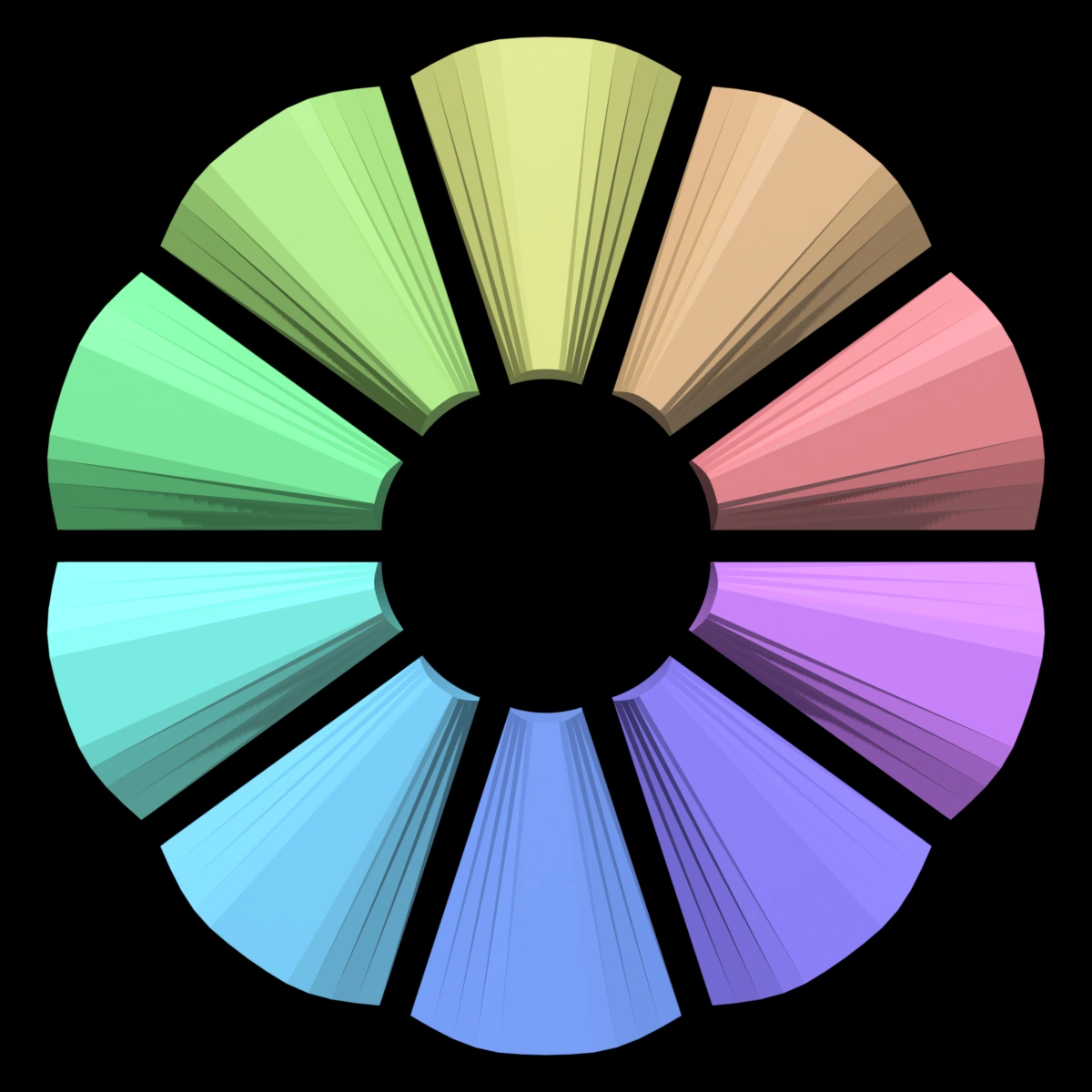
<p>So much of the color on 3D models depends on the camera angle and the lighting, so I designed a pie chart containing 10 wedges. Each wedge has its long side faceted much like a diamond so when you view the model in a 3D viewer, you can see how its color is affected on each facet. With ChatGPT, I created a 3 dimensional exploded pie using <a href="http://openscad.org">OpenSCAD</a>, a three dimensional modeling program.</p>
<p>Here’s a screenshot of the model in OpenSCAD.</p>
<p><img class="alignnone size-full wp-image-552" src="https://salemdata.net/johnpress/wp-content/uploads/2026/03/20260306_090908_Fri.png" alt="" width="658" height="565" /></p>
<p>The OpenSCAD model is exported into STL, and then with Blender, I can specify 10 colors and each wedge will inherit a color in the GLB files.</p>
<p>So the pathway is:</p>
<p>STL —> command with 10 HEX color codes –> Blender —> GLB file.</p>
<p>Since this post is starting to look like alphabet soup, so I’ll just note I posted my <strong>colorpie</strong> project on my open source project server: <a href="https://salemdata.net/repo/jlpoole/colorpie">https://salemdata.net/repo/jlpoole/colorpie</a>. There you can see 5 pies of different color groups.</p>
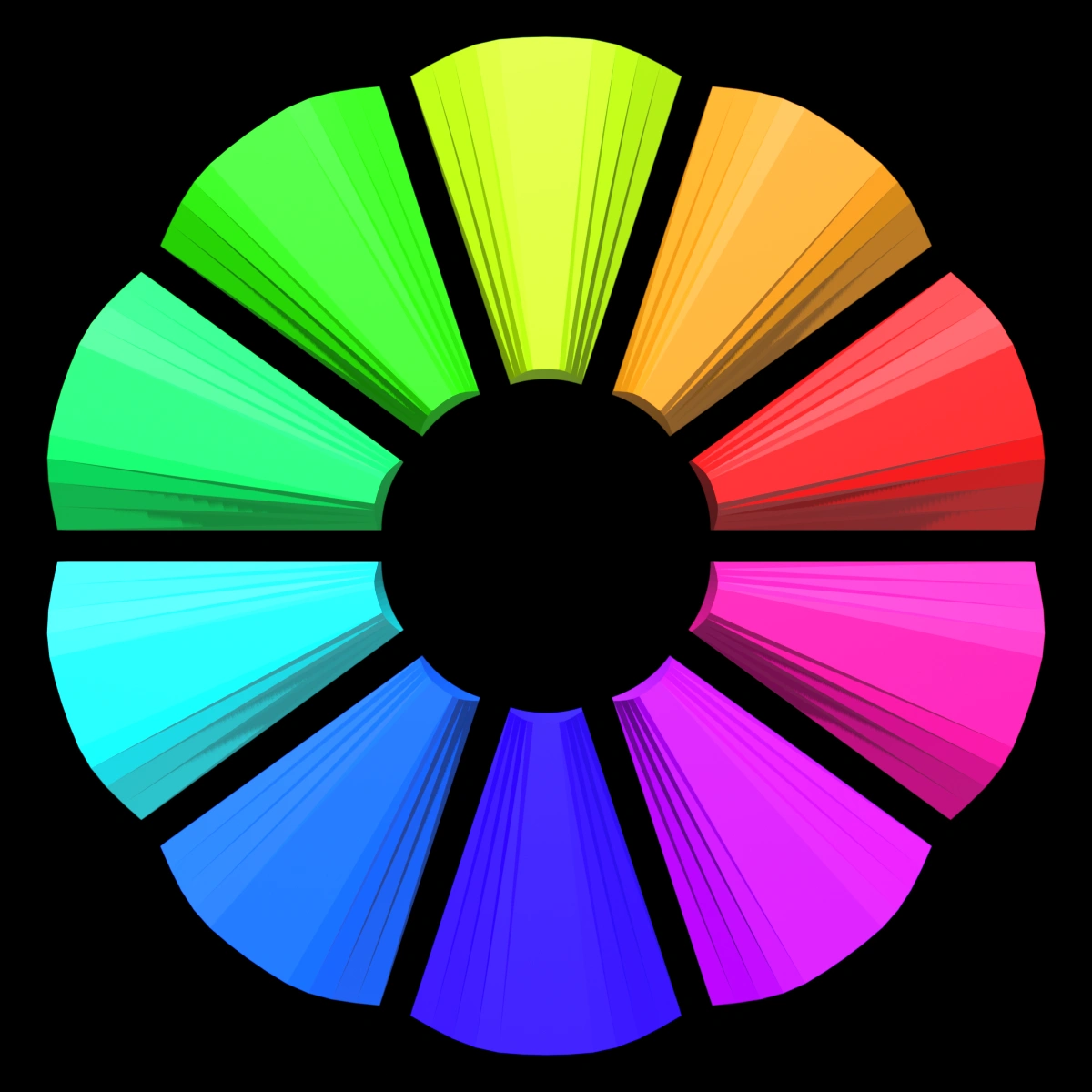
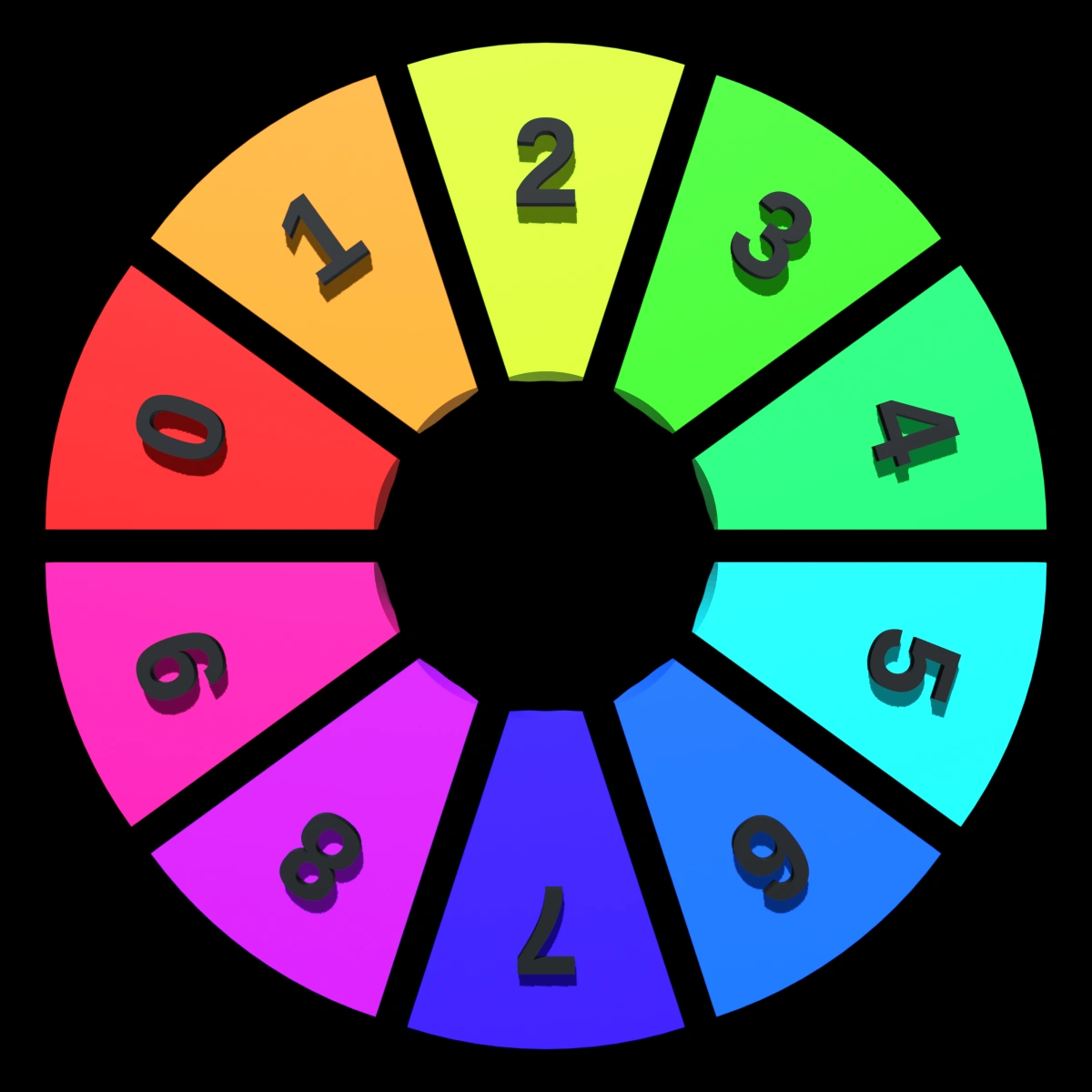
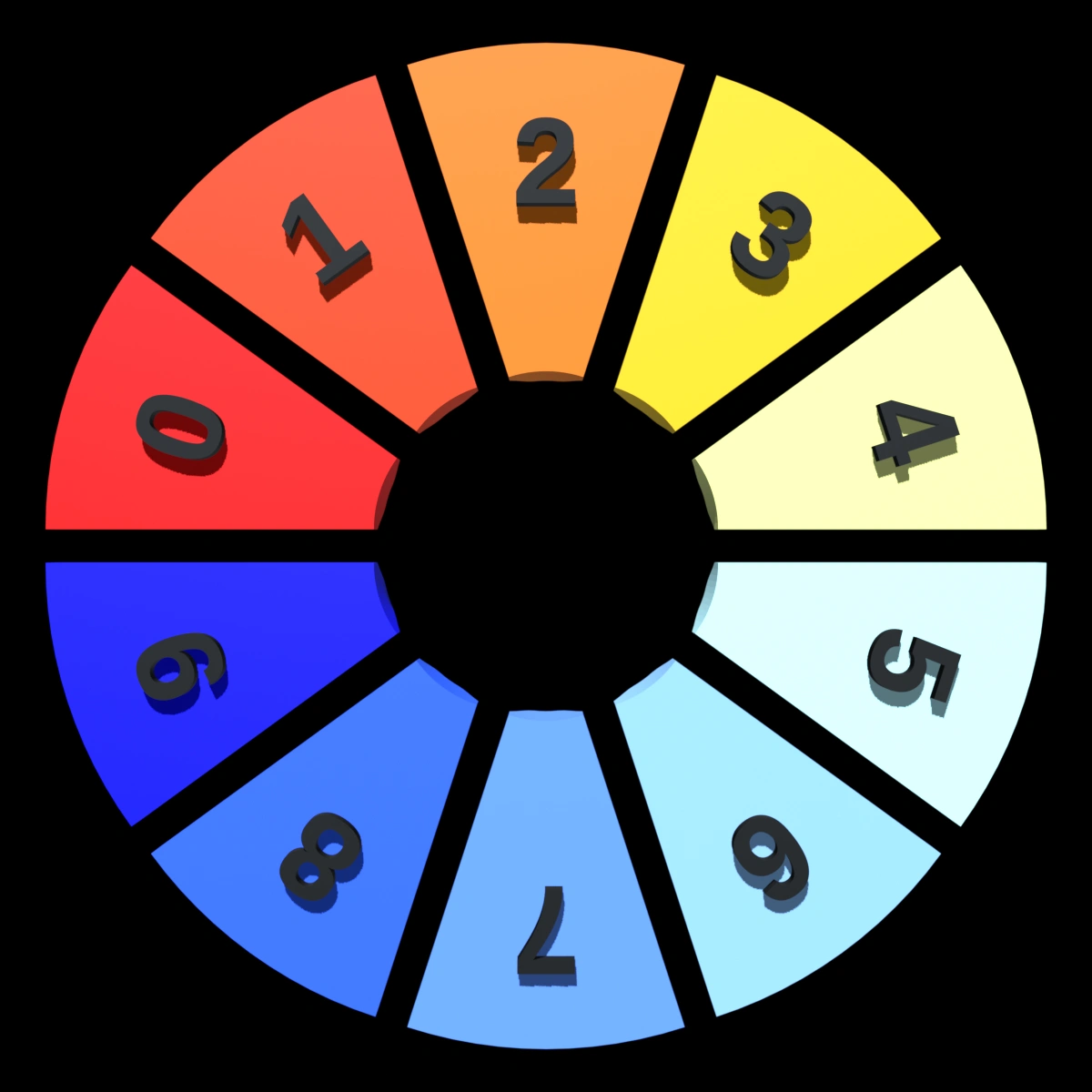
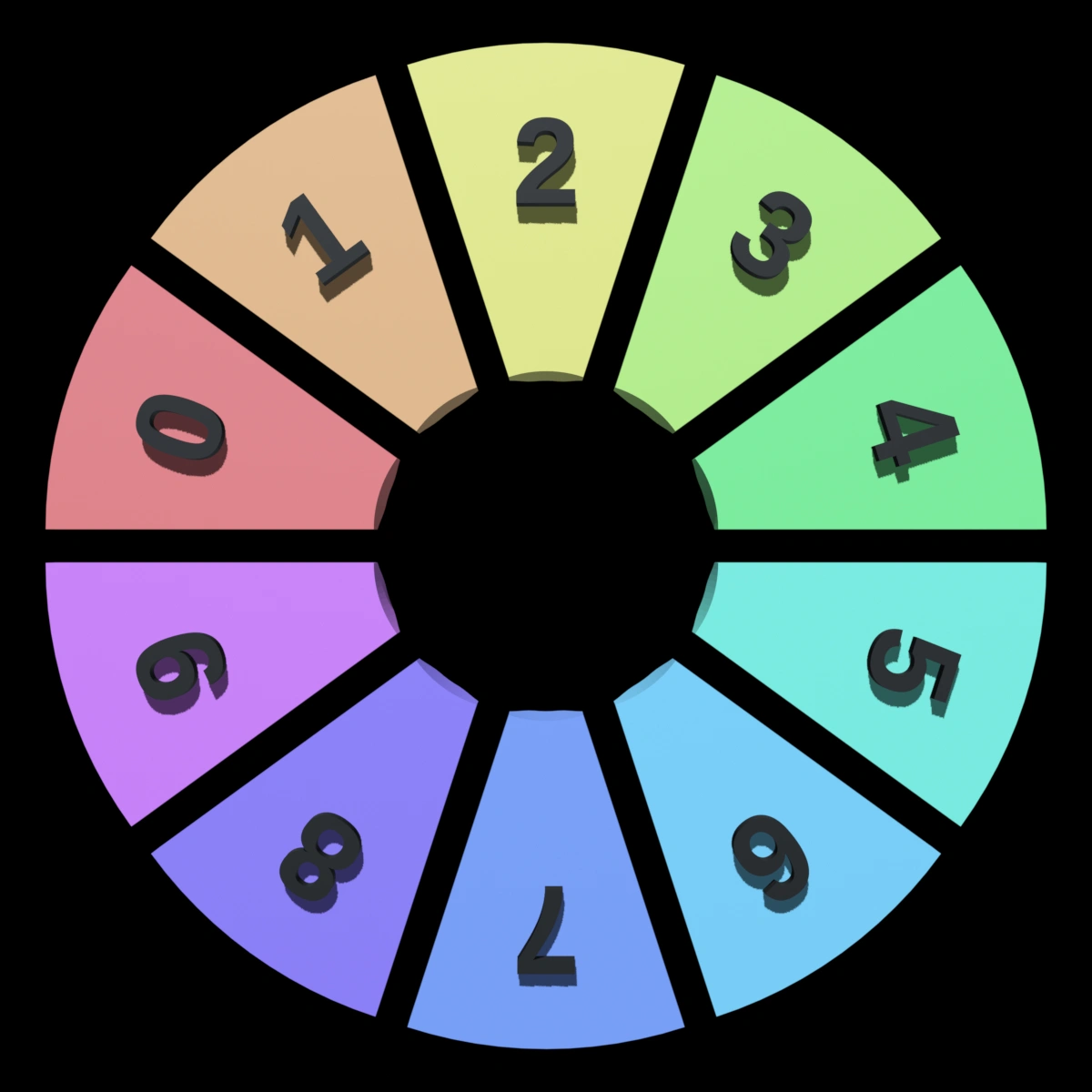
<p>Here’s a pie chart example specifying a wide range of colors. The numbers are on the bottom of the wedges so you can see how much color varies depending on the angle of view. For instance the red, “0”, appears much lighter when looking at the faceted wedge from the top.</p>
<p> </p>
<p><img class="alignnone wp-image-589" src="https://salemdata.net/johnpress/wp-content/uploads/2026/03/colorpie_gamut_20260308_1303_frame001_20260308_1759.webp" alt="" width="243" height="243" /> <img class="alignnone wp-image-588" src="https://salemdata.net/johnpress/wp-content/uploads/2026/03/colorpie_gamut_20260308_1303_frame144_20260308_1759.webp" alt="" width="243" height="243" /></p>
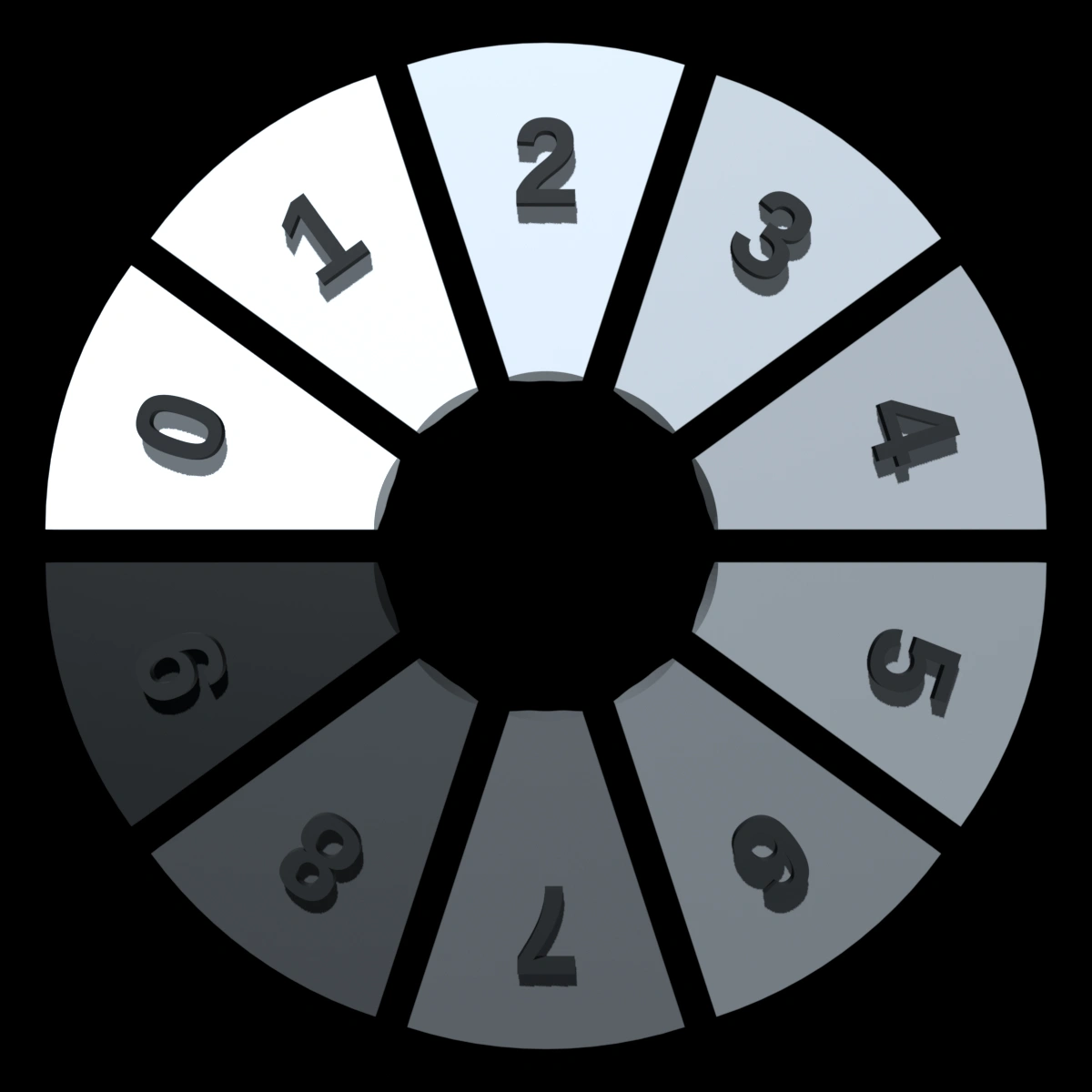
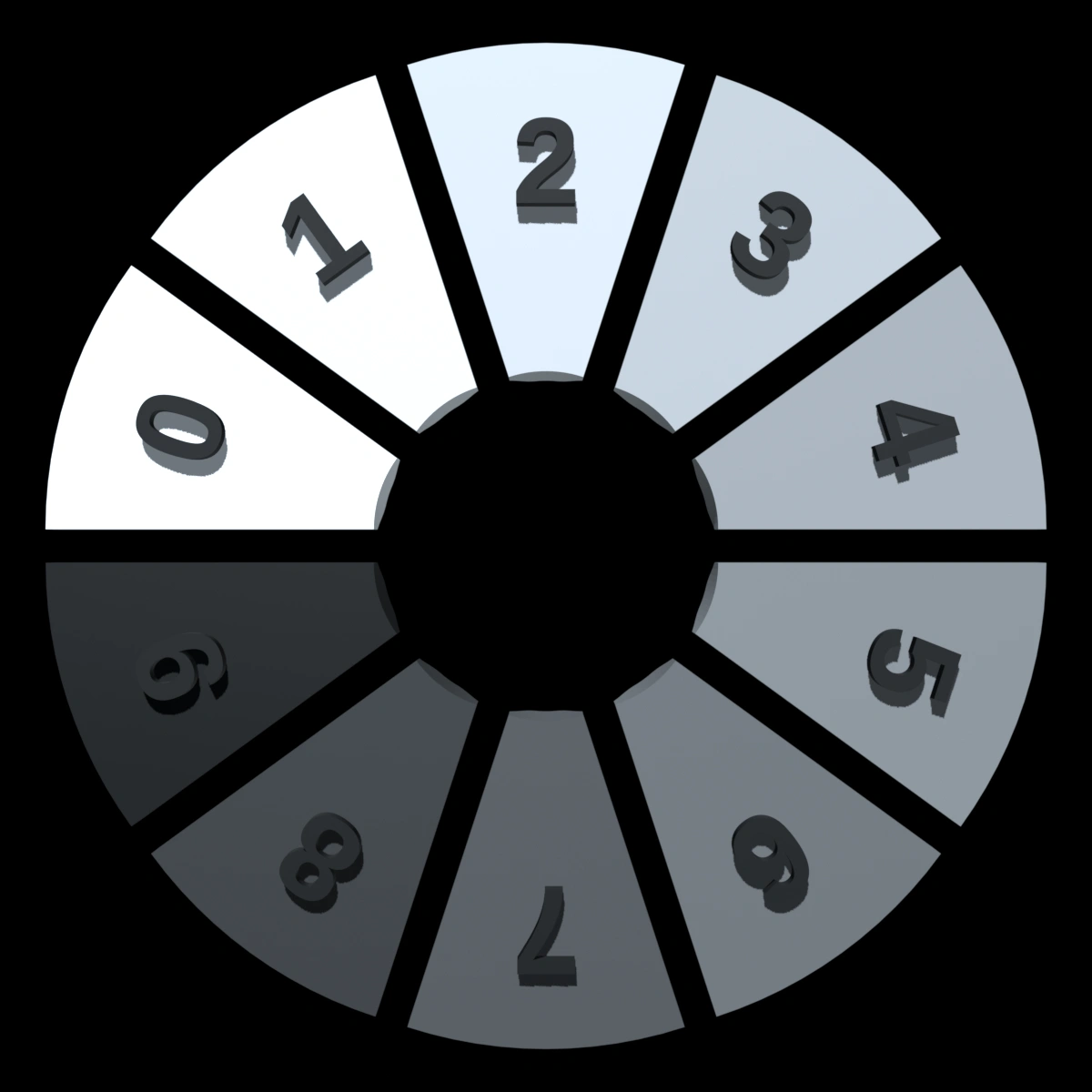
<p>Here’s a grayscale comparison:</p>
<p><img class="alignnone wp-image-590" src="https://salemdata.net/johnpress/wp-content/uploads/2026/03/colorpie_grayscale_20260308_12303_frame001_20260308_1758.webp" alt="" width="243" height="243" /> <img class="alignnone wp-image-591" src="https://salemdata.net/johnpress/wp-content/uploads/2026/03/colorpie_grayscale_20260308_12303_frame144_20260308_1758.webp" alt="" width="243" height="243" /></p>
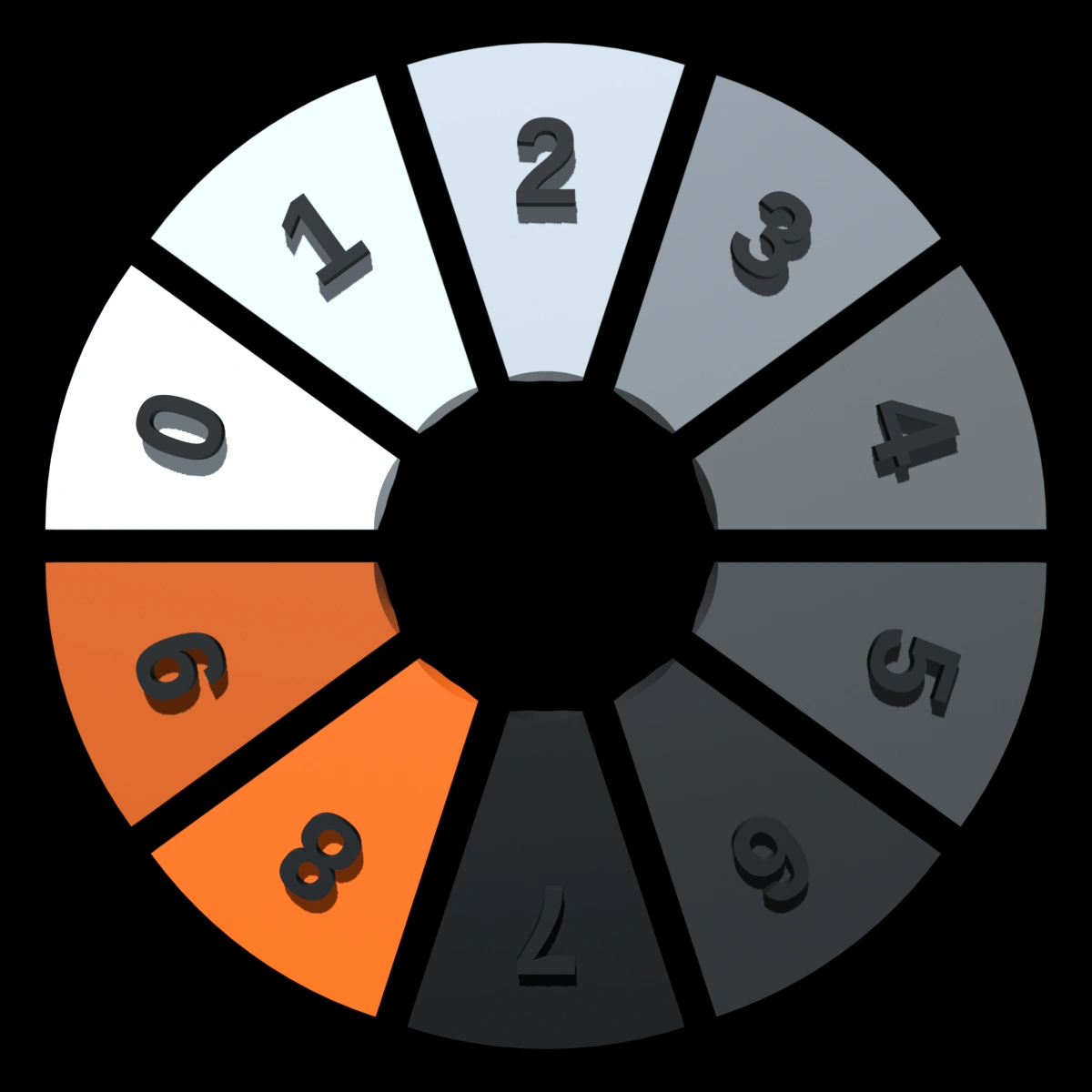
<p>For the Voron Design Project, ChatGPT suggested 10 colors relating to that project:</p>
<p><img class="alignnone wp-image-592" src="https://salemdata.net/johnpress/wp-content/uploads/2026/03/colorpie_voronish_20260308_12303_frame001_20260308_1758.webp" alt="" width="243" height="243" /> <img class="alignnone wp-image-593" src="https://salemdata.net/johnpress/wp-content/uploads/2026/03/colorpie_voronish_20260308_12303_frame144_20260308_1758.webp" alt="" width="243" height="243" /></p>
<p>If you would like to see and play with the five models in a 3D space, here is a table of links to click. You will be able to rotate the models and study how the light changes.</p>
<p><span style="color: #ff0000;">Click either image for interactive 3D view.</span></p>
<p> </p>
<table style="width: 30%; border-collapse: collapse; margin-left: 0; margin-right: auto;">
<tbody>
<!– start of full gamut –></p>
<tr>
<td style="padding: 4px 0 2px 0; font-weight: bold; font-size: 1.1em;" colspan="2"><a href="https://salemdata.us/3dviewer/#model=https://salemdata.us/models/colorpie/glbs/colorpie_gamut_20260308_1303.glb"><br />
Full Spectrum<br />
</a></td>
</tr>
<tr>
<td style="padding: 4px;" width="50%"><a href="https://salemdata.us/3dviewer/#model=https://salemdata.us/models/colorpie/glbs/colorpie_gamut_20260308_1303.glb"><br />
<img class="alignnone size-full wp-image-589" src="https://salemdata.net/johnpress/wp-content/uploads/2026/03/colorpie_gamut_20260308_1303_frame001_20260308_1759.webp" alt="" width="1200" height="1200" /><br />
</a></td>
<td style="padding: 4px;" width="50%"><a href="https://salemdata.us/3dviewer/#model=https://salemdata.us/models/colorpie/glbs/colorpie_gamut_20260308_1303.glb"><br />
<img class="alignnone size-full wp-image-588" src="https://salemdata.net/johnpress/wp-content/uploads/2026/03/colorpie_gamut_20260308_1303_frame144_20260308_1759.webp" alt="" width="1200" height="1200" /><br />
</a></td>
</tr>
<p><!—– start of Voron –></p>
<tr>
<td style="padding: 4px 0 2px 0; font-weight: bold; font-size: 1.1em;" colspan="2">
<a href="https://salemdata.us/3dviewer/#model=https://salemdata.us/models/colorpie/glbs/colorpie_voronish_20260308_12303.glb"><br />
Voron Oriented<br />
</a>
</td>
</tr>
<tr>
<td style="padding: 4px;" width="50%"><a href="https://salemdata.us/3dviewer/#model=https://salemdata.us/models/colorpie/glbs/colorpie_voronish_20260308_12303.glb"><br />
<img class="alignnone size-full wp-image-592" src="https://salemdata.net/johnpress/wp-content/uploads/2026/03/colorpie_voronish_20260308_12303_frame001_20260308_1758.webp" alt="" width="1200" height="1200" /></a></td>
<td style="padding: 4px;" width="50%"><a href="https://salemdata.us/3dviewer/#model=https://salemdata.us/models/colorpie/glbs/colorpie_voronish_20260308_12303.glb"><br />
<img class="alignnone size-full wp-image-593" src="https://salemdata.net/johnpress/wp-content/uploads/2026/03/colorpie_voronish_20260308_12303_frame144_20260308_1758.webp" alt="" width="1200" height="1200" /></a></td>
</tr>
<p><!– start of neutral gray –></p>
<tr>
<td style="padding: 4px 0 2px 0; font-weight: bold; font-size: 1.1em;" colspan="2"><a href="https://salemdata.us/3dviewer/#model=https://salemdata.us/models/colorpie/glbs/colorpie_grayscale_20260308_12303.glb"><br />
Neutral Gray<br />
</a></td>
</tr>
<tr>
<td style="padding: 4px;" width="50%"><a href="https://salemdata.us/3dviewer/#model=https://salemdata.us/models/colorpie/glbs/colorpie_grayscale_20260308_12303.glb"><img class="alignnone size-full wp-image-595" src="https://salemdata.net/johnpress/wp-content/uploads/2026/03/colorpie_grayscale_20260308_12303_frame001_20260308_1758-1.webp" alt="" width="1200" height="1200" /></a></p>
<p> </td>
<td style="padding: 4px;" width="50%"><a href="https://salemdata.us/3dviewer/#model=https://salemdata.us/models/colorpie/glbs/colorpie_grayscale_20260308_12303.glb"><img class="alignnone size-full wp-image-596" src="https://salemdata.net/johnpress/wp-content/uploads/2026/03/colorpie_grayscale_20260308_12303_frame144_20260308_1758-1.webp" alt="" width="1200" height="1200" /></a></p>
<p> </td>
</tr>
<p><!– start of warm cool –></p>
<tr>
<td style="padding: 4px 0 2px 0; font-weight: bold; font-size: 1.1em;" colspan="2"><a href="https://salemdata.us/3dviewer/#model=https://salemdata.us/models/colorpie/glbs/colorpie_warmcool_20260308_12303.glb"><br />
Warm to Cool<br />
</a></td>
</tr>
<tr>
<td style="padding: 4px;" width="50%"><a href="https://salemdata.us/3dviewer/#model=https://salemdata.us/models/colorpie/glbs/colorpie_warmcool_20260308_12303.glb"><img class="alignnone size-full wp-image-598" src="https://salemdata.net/johnpress/wp-content/uploads/2026/03/colorpie_warmcool_20260308_12303_frame001_20260308_1759.webp" alt="" width="1200" height="1200" /></a></p>
<p> </td>
<td style="padding: 4px;" width="50%"><a href="https://salemdata.us/3dviewer/#model=https://salemdata.us/models/colorpie/glbs/colorpie_warmcool_20260308_12303.glb"><img class="alignnone size-full wp-image-599" src="https://salemdata.net/johnpress/wp-content/uploads/2026/03/colorpie_warmcool_20260308_12303_frame144_20260308_1759.webp" alt="" width="1200" height="1200" /></a></p>
<p> </td>
</tr>
<p><!– start of muted –></p>
<tr>
<td style="padding: 4px 0 2px 0; font-weight: bold; font-size: 1.1em;" colspan="2"><a href="https://salemdata.us/3dviewer/#model=https://salemdata.us/models/colorpie/glbs/colorpie_muted_20260308_12303.glb"><br />
Low Saturation<br />
</a></td>
</tr>
<tr>
<td style="padding: 4px;" width="50%"><a href="https://salemdata.us/3dviewer/#model=https://salemdata.us/models/colorpie/glbs/colorpie_muted_20260308_12303.glb"><img class="alignnone size-full wp-image-600" src="https://salemdata.net/johnpress/wp-content/uploads/2026/03/colorpie_muted_20260308_12303_frame001_20260308_1759.webp" alt="" width="1200" height="1200" /></a></p>
<p> </td>
<td style="padding: 4px;" width="50%"><a href="https://salemdata.us/3dviewer/#model=https://salemdata.us/models/colorpie/glbs/colorpie_muted_20260308_12303.glb "><img class="alignnone size-full wp-image-601" src="https://salemdata.net/johnpress/wp-content/uploads/2026/03/colorpie_muted_20260308_12303_frame144_20260308_1759.webp" alt="" width="1200" height="1200" /></a></p>
<p> </td>
</tr>
</tbody>
</table>
I was working on my
Voron Trident 3D printer kit, and tried to take inventory of all the plastic parts that were printed and shipped to me. There are 128 different designs. I decided to make a workflow producing both a recognizable image and a 3-D web viewer of each part.
I ran into some issues regarding the rendering of color when you transform an STL model using Blender, a highly sophisticated graphics program, nay, environment, into a GLB model. The Voron project has two classes of parts: the basic which are usually black, and the “accent” which may be a different color, e.g. burnt orange. Frustrated with my color results, I decided I needed a tool which should give me some color charts so I could determine what color specification, in HEX format, e.g. #FF0000 = red, would produce what color. So, I devoted a half day to a quick and simple project I call colorpie.
So much of the color on 3D models depends on the camera angle and the lighting, so I designed a pie chart containing 10 wedges. Each wedge has its long side faceted much like a diamond so when you view the model in a 3D viewer, you can see how its color is affected on each facet. With ChatGPT, I created a 3 dimensional exploded pie using OpenSCAD, a three dimensional modeling program.
Here’s a screenshot of the model in OpenSCAD.
The OpenSCAD model is exported into STL, and then with Blender, I can specify 10 colors and each wedge will inherit a color in the GLB files.
So the pathway is:
STL —> command with 10 HEX color codes –> Blender —> GLB file.
Since this post is starting to look like alphabet soup, so I’ll just note I posted my colorpie project on my open source project server: https://salemdata.net/repo/jlpoole/colorpie. There you can see 5 pies of different color groups.
Here’s a pie chart example specifying a wide range of colors. The numbers are on the bottom of the wedges so you can see how much color varies depending on the angle of view. For instance the red, “0”, appears much lighter when looking at the faceted wedge from the top.
Here’s a grayscale comparison:

For the Voron Design Project, ChatGPT suggested 10 colors relating to that project:

If you would like to see and play with the five models in a 3D space, here is a table of links to click. You will be able to rotate the models and study how the light changes.
Click either image for interactive 3D view.

Leave a Reply