Highly Technical
Harnessing AI to control USB-connected devices can dramatically shorten hardware debugging cycles.
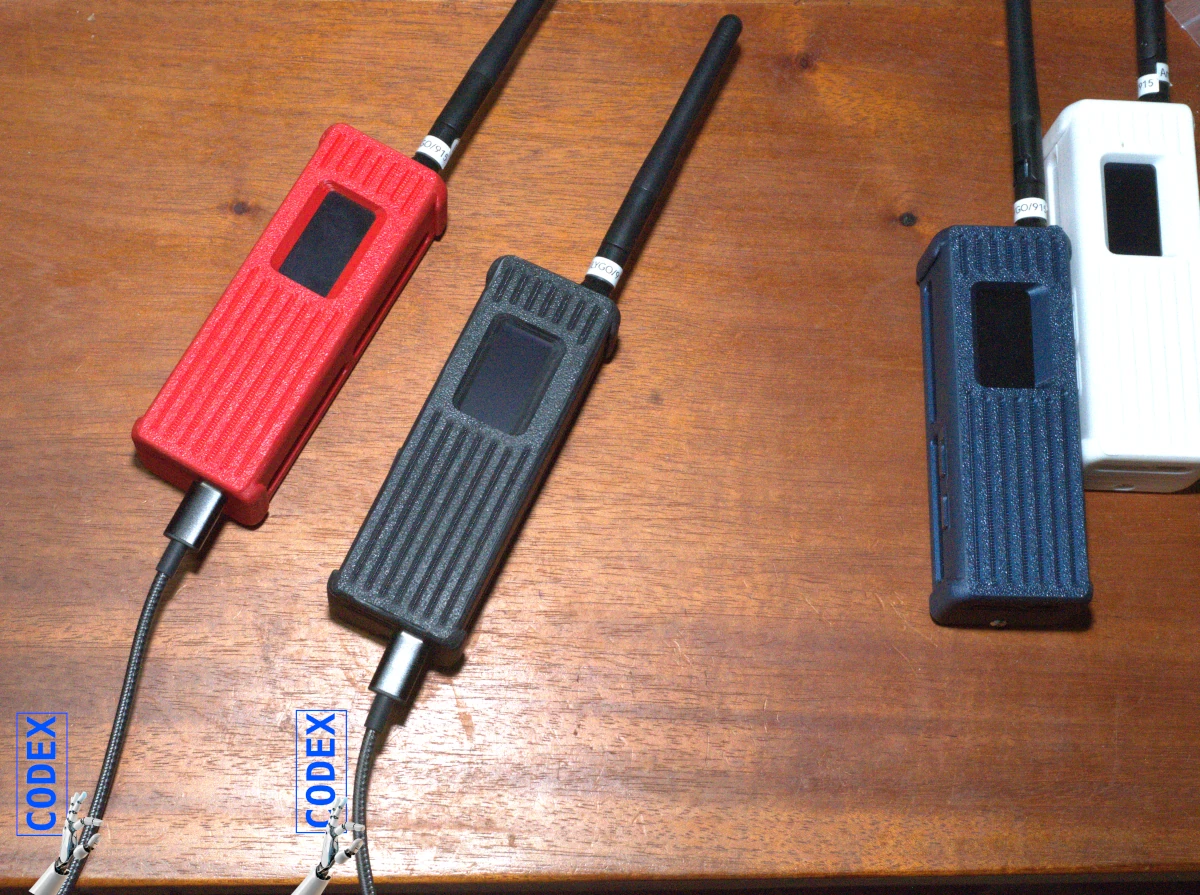
I have successfully integrated the ble-reticulum C++ (protocol created by Torlando) interface into the microReticulum code. I built a binary image for the ESP32-based LilyGo! T-Beam SUPREME which I loaded into two T-Beams. The two T-Beams then negotiate a Bluetooth “pairing” and once paired, each sends the other hard-coded text, e.g. the entire United States Constitution (44,225 bytes), simultaneously. After the completion of a transmission, each unit starts another transmission after resting for 10 seconds. Bluetooth requires chunking large payloads. For example, the US Constitution payload is chopped into 148 chunks. So this test is to see if the chunking and pushing through Reticulum’s LINK (completely encrypted) works. This is a form of stress-testing: see what can break the transmission and simulate what two users might encounter if each tries to send the other huge files at the same time… like high resolution pictures of each person’s cat.
I witnessed a serious degradation problem. For Bluetooth connections, each party must assume a role: server or client, much like the agreement of who’s on top. I’m seeing that when a T-Beam is a client, its incoming data is getting corrupted, but the T-Beam whose role is a server has incoming data without errors. I’m stress-testing with the US Constitution file on a bilateral transmission, so the BLE interfaces are tasked with both receiving and transmitting at the same time.
What’s neat about Codex, OpenAI’s coding agent, running in Visual Studio Code is that Codex can access both of my T-Beams (device ports/dev/ttytBOB and /dev/ttytDAN) and connect to them, upload modified binary images and then establish two serial interfaces to each unit just as I might with a two serial consoles. Here’s a screenshot of a desktop showing two serial consoles.
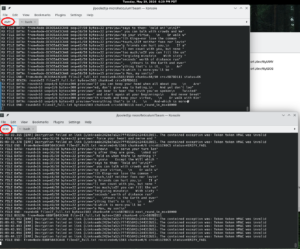
Until yesterday, I’ve been taking binary image blobs Codex compiles and then manually uploading the blob to each T-Beam and then executing in separate consoles a serial port console command wrapped by a Perl script which prefixes each incoming line with a high precision timestamp and then displays that on the console and writes the line to a log file. After a test run for 60 or 300 seconds, I would process the log files with a Perl script to get a statistical report. I would then upload the report and/or log files to Codex or ChatGPT for analysis and recommendations. Then I would instruct Codex on the next step — usually articulating the bug found and asking for its suggestions and then in a subsequent prompt approving the proposed code change and directing Codex to proceed implementing the change. Now, I instruct Codex:
- to revise the code per its recommendation,
- compile the modified code,
- revise the code until a successful compile occurs,
- upload the compiled binary to both T-Beams,
- connect to both T-Beams in separate serial ports,
- monitor the text coming over the serial port,
- analyze the results to determine if successful,
- if not successful, then formulate a plan to correct, and
- repeat this cycle.
With the above steps, Codex gets immediate results and can quickly decide what changes it might make in the code and then go through the cycle again. Much like the famous shampoo instructions “Lather, rinse, repeat,” Codex can keep cycling. I can still monitor its progress and interrupt it when I see it heading off in the wrong direction. This interchange seems very much like a manager directing a coder. With this procedure, Codex can cycle through the above again and again until it is satisfied the successful result has been accomplished without my involvement and delay.
Here’s a screenshot of a snippet while Codex is “thinking” showing that it “found the mechanical failure”. After this, Codex revised the code, compiled it, uploaded, and monitored the results until the output was free of errors.
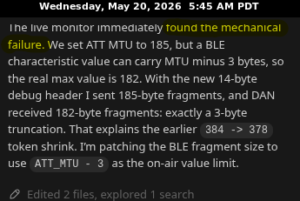
I asked Codex to create a post mortem to document the cycles it went through along with the reasoning it applied at each juncture. Codex basically overcame a very low level design flaw at the byte level where a buffer specification was too large and causing data to disappear. This kind of debugging and testing would have taken hours and hours of time.
The rest of this post is the technical post mortem Codex generated after the successful run. Readers who only want the story can stop here: the important point is that the debugging cycle moved from “human observes, uploads logs, asks for next step” to “Codex observes, modifies, compiles, uploads, tests, and repeats.” For those who want the byte-level details, the report follows.
Exercise 305: microReticulum BLE file transfer
This exercise builds on Exercise 304’s equal-peer BLE transport. Both boards run the same dual-role BLE interface, form a Reticulum Link, and then send the selected text file across that Link at the same time.
The file transfer protocol is intentionally small and visible on the serial console:
FTB -> file begin, with file name, byte count, chunk count, and checksum
FTD -> numbered file data chunk
FTE -> file end, with verification metadata repeated
Each receiver checks byte count, chunk count, and FNV-1a checksum. After a sender completes a transfer, it rests for 10 seconds and then starts the same selected file again.
Sample Set
Exercise 305 uses the same payload files as the Pi Zero BLE Reticulum tests:
texts/If.txt                 195 bytes
texts/If_full.txt           1583 bytes
texts/US_Constitution.txt  44225 bytes
The selected file is compiled into the firmware. The transfer code does not care which file is selected; platformio.ini chooses the source text through custom_text_source, and scripts/embed_text.py generates SelectedText.h in the build directory before compilation.
Transfer Profiles
The transfer pressure is selected in platformio.ini with build flags:
-D FILE_TRANSFER_CHUNK_SIZE=32
-D FILE_TRANSFER_CHUNK_INTERVAL_MS=500
FILE_TRANSFER_CHUNK_SIZE is the number of text bytes placed in each application-level FTD message before microReticulum wraps and encrypts it as a Link packet. Larger chunks reduce the number of packets needed for a file, but each encrypted packet becomes larger. If it grows beyond what the ESP32 BLE transport can reliably carry under simultaneous two-way traffic, Reticulum may log Link decrypt/HMAC failures because ciphertext arrived damaged or incomplete.
FILE_TRANSFER_CHUNK_INTERVAL_MS is the delay between application-level file chunks. Smaller intervals increase throughput, but also increase BLE write/notify pressure. With both nodes transmitting at the same time, too short a cadence can overflow buffers or expose ordering/loss issues in the current ESP32 BLE transport.
The conservative bring-up profile uses:
32 byte chunks, 500 ms between chunks
The Pi-Zero-comparison profile uses:
300 byte chunks, 100 ms between chunks
That is the apples-to-apples starting point for the previous Zero-to-Zero tests. Those commands requested --message-chunk-size 900, but the Python sender intentionally applied an internal board/Link-budget cap before sending. The run17 report for the Constitution transfer shows effective chunk data around 300 to 316 bytes, not 900 bytes, with roughly 100 ms sender pacing.
VERIFY_FAIL means the file protocol received an incomplete or corrupted transfer. A Reticulum Link HMAC/decryption error means corruption happened earlier, before the file protocol could parse the packet.
Priority
See Exercise 304_microReticulum_ble_dual_role_ping_pong README.md for explanation of “deterministic tie-breaker” of the role of client and server based on the ESP32 MAC.
Environments
Conservative ESP32 bring-up environments:
tbeam_if
tbeam_if_full
tbeam_constitution
Pi-Zero-comparison environments:
tbeam_if_pi_zero_profile
tbeam_if_full_pi_zero_profile
tbeam_constitution_pi_zero_profile
Build Once, Upload Twice
Each selected text environment produces one firmware image. Build it once, then upload that same image to both boards.
Build the short If sample:
source /home/jlpoole/rnsenv/bin/activate
cd /usr/local/src/microreticulum/microReticulumTbeam
pio run -d exercises/305_microReticulum_ble_file_transfer -e tbeam_if
Build the Pi-Zero-profile Constitution sample:
source /home/jlpoole/rnsenv/bin/activate
cd /usr/local/src/microreticulum/microReticulumTbeam
pio run -d exercises/305_microReticulum_ble_file_transfer -e tbeam_constitution_pi_zero_profile
After the build succeeds, upload the same environment to both boards. These commands may be run one after the other:
pio run -d exercises/305_microReticulum_ble_file_transfer -e tbeam_if -t upload --upload-port /dev/ttytAMY
pio run -d exercises/305_microReticulum_ble_file_transfer -e tbeam_if -t upload --upload-port /dev/ttytBOB
Use the same -e value in upload commands that you used for the build.
For strict parallel uploads, use esptool.py directly against the already-built artifacts. This avoids two concurrent pio run processes touching the same .pio build directory:
cd /usr/local/src/microreticulum/microReticulumTbeam/exercises/305_microReticulum_ble_file_transfer
esptool.py --chip esp32s3 --port /dev/ttytAMY --baud 460800 write_flash -z \
  0x0000 .pio/build/tbeam_if/bootloader.bin \
  0x8000 .pio/build/tbeam_if/partitions.bin \
  0xe000 /home/jlpoole/.platformio/packages/framework-arduinoespressif32/tools/partitions/boot_app0.bin \
  0x10000 .pio/build/tbeam_if/firmware.bin &
esptool.py --chip esp32s3 --port /dev/ttytBOB --baud 460800 write_flash -z \
  0x0000 .pio/build/tbeam_if/bootloader.bin \
  0x8000 .pio/build/tbeam_if/partitions.bin \
  0xe000 /home/jlpoole/.platformio/packages/framework-arduinoespressif32/tools/partitions/boot_app0.bin \
  0x10000 .pio/build/tbeam_if/firmware.bin &
wait
For another environment, replace each .pio/build/tbeam_if/ path with that environment’s build directory.
Monitor:
pio device monitor -p /dev/ttytAMY -b 115200
pio device monitor -p /dev/ttytBOB -b 115200
Expected Output
Once the Link is active, both nodes start sending:
Selected file=If.txt bytes=195 chunk=32 interval_ms=500 repeat_rest_ms=10000
TX FILE BEGIN: round=1 file=If.txt bytes=195 chunks=7 crc=...
TX FILE DATA: round=1 seq=1/7 bytes=32 preview="If you can keep your head..."
TX FILE END: round=1 file=If.txt bytes=195 chunks=7 crc=... next_round_in_ms=10000
The receiver verifies the transfer:
RX FILE BEGIN: from=Node-... file=If.txt bytes=195 chunks=7 crc=...
RX FILE DATA: from=Node-... seq=1/7 bytes=32 preview="If you can keep your head..."
RX FILE END: from=Node-... file=If.txt received=195/195 chunks=7/7 crc=... status=OK
Ten seconds after TX FILE END, the same selected file starts again. This rest interval is measured after transfer completion, so large files get the same 10-second pause before the next round.
Leave a Reply