<h2>Timed Terminal Captures with <code>script</code>, <code>timeout</code>, and a Future Launch Time</h2>
<p>I recently needed to run the same command on two separate Raspberry Pi Zero 2W systems at almost exactly the same time. Both machines were disciplined to the same local stratum-1 time server, so their clocks were already close enough, e.g. less than 1 second off, for the experiment.</p>
<p>The real problem was not merely starting the commands at the same time. The problem was capturing the terminal sessions cleanly.</p>
<p>I wanted the captured <code>script(1)</code> output and timing log to contain only the command I cared about, not the setup, not the countdown, not the time it took me to move from one SSH window to another, and not any manual cleanup afterward.</p>
<p>The solution was simple once the pieces were put in the right order. Here’s the command I used:</p>
<pre><code class="language-bash">script -q -f -e –log-timing timing.log -c 'timeout -k 5s 60s ./program' output.script
</code></pre>
<p>The important trick is that the waiting happens <strong>outside</strong> <code>script</code>, and only the actual timed command runs <strong>inside</strong> <code>script -c</code>.</p>
<p>That means:</p>
<pre><code class="language-text">wait until target time -> start script capture -> run timeout command -> program exits -> script exits
</code></pre>
<p>No manual <code>exit</code> is needed. No extra shell prompt is captured after the program finishes. The <code>timeout</code> command terminates the program, and then <code>script -c</code> exits because its child command has completed.</p>
<p>This produces two useful files:</p>
<pre><code class="language-text">output.script
timing.log
</code></pre>
<p>The first contains the terminal output. The second contains the byte timing information needed by <code>scriptreplay</code> or by custom replay tools.</p>
<p>For a synchronized two-machine run, the workflow becomes something like this.</p>
<p>On the first machine:</p>
<pre><code class="language-bash">./makescript_at.sh little_boy_blue 18:45:00 60s — ./little_boy_blue
</code></pre>
<p>On the second machine:</p>
<pre><code class="language-bash">./makescript_at.sh childrens_hour 18:45:00 60s — ./childrens_hour
</code></pre>
<p>Each shell can be prepared ahead of time. Each wrapper waits until the specified launch time. The terminal capture starts only at the launch moment. The command runs for the requested duration. The capture then closes automatically.</p>
<p>For experiments, demonstrations, debugging sessions, and blog-ready terminal captures, this is a very clean pattern.</p>
<p>The broader lesson is this:</p>
<pre><code class="language-text">Do not start script and then wait.
Wait first, then start script around the exact command of interest.
</code></pre>
<p>That one ordering decision keeps the capture clean, repeatable, and easy to replay.</p>
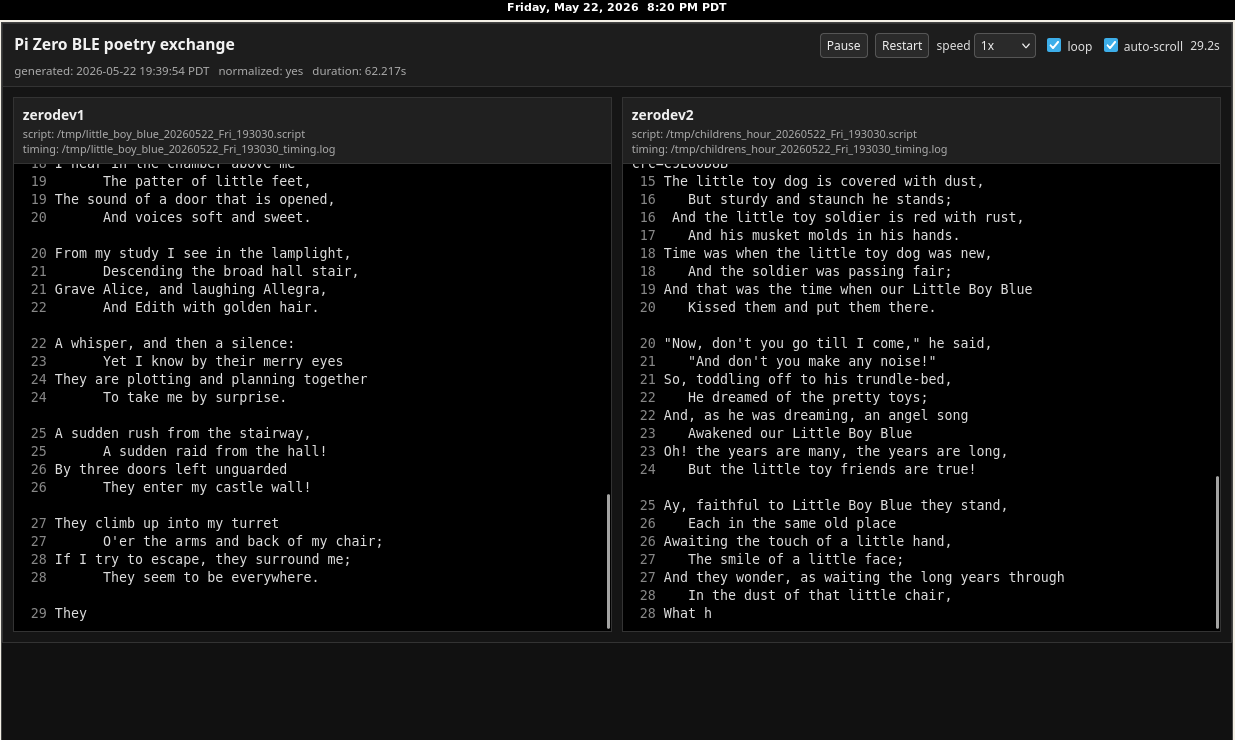
<p>Here is an example of two script sending poems to each other with a 10 second pause after the transfer is completed and then the transfer is started all over again.</p>
<div class="reticulum-replay-centered"><iframe src="https://salemdata.us/dev/paired_ble_poetry_replay_20260522_Fri_193030.html"></iframe></div>
<div>I’ll post the Perl script that processes both sets of script output, i.e. script and script.timing, to my Forgejo.</div>
Timed Terminal Captures with script, timeout, and a Future Launch Time
I recently needed to run the same command on two separate Raspberry Pi Zero 2W systems at almost exactly the same time. Both machines were disciplined to the same local stratum-1 time server, so their clocks were already close enough, e.g. less than 1 second off, for the experiment.
The real problem was not merely starting the commands at the same time. The problem was capturing the terminal sessions cleanly.
I wanted the captured script(1) output and timing log to contain only the command I cared about, not the setup, not the countdown, not the time it took me to move from one SSH window to another, and not any manual cleanup afterward.
The solution was simple once the pieces were put in the right order. Here’s the command I used:
script -q -f -e --log-timing timing.log -c 'timeout -k 5s 60s ./program' output.script
The important trick is that the waiting happens outside script, and only the actual timed command runs inside script -c.
That means:
wait until target time -> start script capture -> run timeout command -> program exits -> script exits
No manual exit is needed. No extra shell prompt is captured after the program finishes. The timeout command terminates the program, and then script -c exits because its child command has completed.
This produces two useful files:
output.script
timing.log
The first contains the terminal output. The second contains the byte timing information needed by scriptreplay or by custom replay tools.
For a synchronized two-machine run, the workflow becomes something like this.
On the first machine:
./makescript_at.sh little_boy_blue 18:45:00 60s -- ./little_boy_blue
On the second machine:
./makescript_at.sh childrens_hour 18:45:00 60s -- ./childrens_hour
Each shell can be prepared ahead of time. Each wrapper waits until the specified launch time. The terminal capture starts only at the launch moment. The command runs for the requested duration. The capture then closes automatically.
For experiments, demonstrations, debugging sessions, and blog-ready terminal captures, this is a very clean pattern.
The broader lesson is this:
Do not start script and then wait.
Wait first, then start script around the exact command of interest.
That one ordering decision keeps the capture clean, repeatable, and easy to replay.
Here is an example of two script sending poems to each other with a 10 second pause after the transfer is completed and then the transfer is started all over again.
I’ll post the Perl script that processes both sets of script output, i.e. script and script.timing, to my Forgejo.
Leave a Reply